
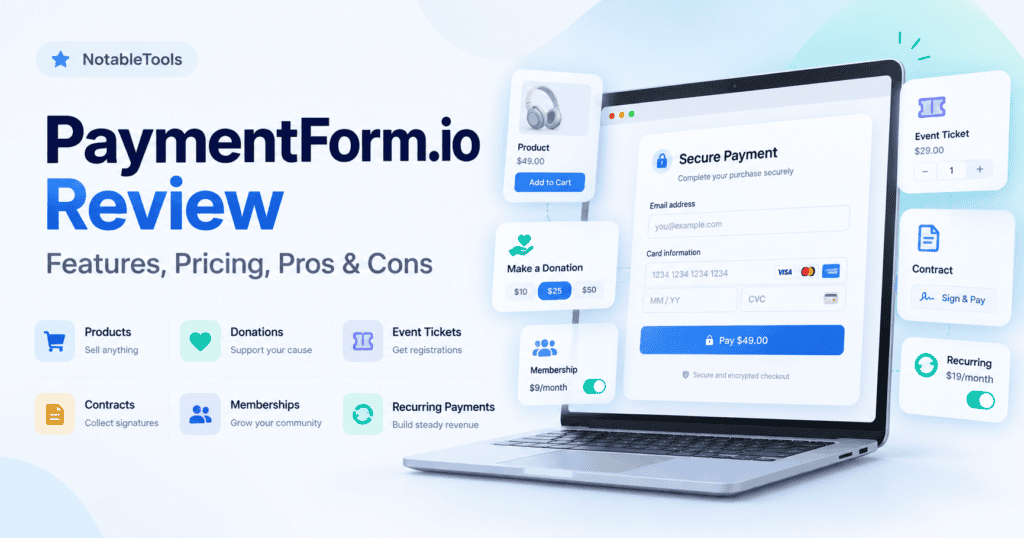

PaymentForm.io solves a fairly specific problem: you want to collect money online, but setting up a full ecommerce website feels excessive.
Instead of building a store, connecting several plugins, configuring checkout pages, and adding separate tools for invoices, tickets, signatures, or donations, PaymentForm.io lets you create a payment-focused form and share it as a link.
The idea is good. More importantly, PaymentForm.io goes considerably further than a standard “payment link” tool.
You can use it for products, digital downloads, donations, fundraising, event tickets, memberships, contracts, recurring payments, and even ordinary non-payment forms.
But there is an important trade-off.
PaymentForm.io is a very young product.
Version 1.0 only launched on June 2, 2026, and a large portion of the platform has been built in the months since then. Event ticketing, contracts, memberships, Square, SumUp, Braintree, a page builder, and other major features have all arrived recently.
That makes PaymentForm.io interesting, especially at its current price, but it also means businesses should evaluate it differently from mature products such as Jotform, Stripe, or established ecommerce platforms.
PaymentForm.io Review: The Short Version
PaymentForm.io is best viewed as a transaction-focused form builder rather than another Stripe Payment Links alternative.
Its biggest strength is how many payment workflows it brings together. A freelancer can collect a signature and payment. An event organizer can sell tickets and scan QR codes. A nonprofit can collect recurring donations. A creator can sell a digital product. A small seller can create a basic storefront.
And you can do all of that without building a traditional website.
The pricing is also aggressive. There is a genuinely usable free plan, while Pro costs only $9 per month and adds features such as custom domains, analytics, webhooks, branding removal, exports, password protection, and more.
Where I’d be more cautious is product maturity.
PaymentForm.io does not yet have the large user community, integration ecosystem, public review history, or long operational track record of its established competitors. Capterra currently shows no user reviews, while Trustpilot had only one review when we checked.
So the question isn’t simply:
“Does PaymentForm.io have enough features?”
It clearly does.
The more useful question is:
“Do I need all these workflows badly enough to choose a newer platform over a more established specialist?”
For some users, the answer could absolutely be yes.
Pros and Cons
Pros
- Very generous free plan
- Unlimited forms, submissions, and transactions
- 0% additional PaymentForm.io transaction fee on Free and Pro
- Supports multiple payment gateways
- No website required
- Much more flexible than a basic payment-link tool
- Physical and digital product selling
- Recurring payments
- Donation and fundraising tools
- Event ticketing with QR check-in
- Contracts with digital signatures
- Membership management
- Invoice generation
- Custom domains on Pro
- Webhooks and analytics on Pro
- Low $9/month Pro price
Cons
- Very young product
- Limited independent user-review history
- Smaller ecosystem than established form builders
- Some features are still marked as planned
- Third-party gateway fees still apply
- May be overkill if you only need a simple payment link
- Not a substitute for advanced ecommerce software
- Businesses with mission-critical workflows may prefer a platform with a longer track record
What Exactly Is PaymentForm.io?
PaymentForm.io is a no-code platform for building forms around transactions.
That distinction matters.
A normal form builder starts with the question:
“What information do you want to collect?”
PaymentForm.io is closer to:
“What transaction are you trying to complete?”
You choose a use case such as selling a product, accepting a donation, selling event tickets, creating a membership, or signing a contract.
The platform then provides the fields and transaction logic needed around that use case.
The money itself is processed through a connected payment provider rather than PaymentForm.io acting as the payment gateway.
Supported gateways currently include services such as Stripe, PayPal, Razorpay, Square, Mollie, Braintree, SumUp, Midtrans, and others.
That means PaymentForm.io sits between your customer and your payment processor.
Think of it like this:
Customer → PaymentForm.io checkout → Stripe/PayPal/Razorpay/etc. → Your account
PaymentForm.io creates the experience around the transaction. Your gateway handles the money.
What I Like About PaymentForm.io
1. It Starts With the Transaction, Not the Form
This is probably the best idea behind PaymentForm.io.
You aren’t given a blank form and expected to figure everything out yourself.
Instead, you can start with modules designed around actual business situations.
For example:
- Selling physical products
- Selling digital products
- Donations
- Fundraising
- Event ticketing
- Contracts
- Memberships
- General forms
That sounds like a small difference, but it changes how the product feels conceptually.
If I’m organizing a paid event, I don’t really want a “form builder.”
I want:
- Ticket types
- Pricing
- Quantity limits
- Attendee information
- Payments
- Ticket delivery
- QR codes
- Check-in
PaymentForm.io has built those functions into its event workflow.
The same logic applies to contracts, donations, memberships, and product sales.
That’s a stronger proposition than simply saying “our forms accept payments.”
2. PaymentForm.io Covers an Unusually Wide Range of Use Cases
This is where the product becomes interesting.
Imagine a small organization that needs to:
- Collect membership fees
- Sell tickets for an annual event
- Take donations
- Sell merchandise
- Collect signatures
- Generate invoices
Those tasks could easily turn into five different SaaS subscriptions.
PaymentForm.io is trying to cover them from one account.
I wouldn’t choose software simply because it has more features, but in this case the modules are related enough that the consolidation actually makes sense.
For organizations with several types of transactions, this may be PaymentForm.io’s strongest advantage.
3. The Free Plan Is Actually Usable
Many SaaS products technically have a free plan but limit it so aggressively that it works more like a trial.
PaymentForm.io’s free tier is different.
At the time of this review, the company lists:
- Unlimited form creation
- Unlimited submissions
- Unlimited transactions
- Access to all modules
- Theme customization
- 12+ field types
- 1 GB storage
- Invoice builder
- Page builder
- Custom email templates
- Custom thank-you pages
- 0% PaymentForm.io transaction fee
There is no credit card required to start.
That’s enough functionality to determine whether the product works for your business rather than having to make that decision inside a seven-day trial.
4. The $9 Pro Plan Is Aggressively Priced
Pro currently costs $9 per month.
It adds features such as:
- 2 GB storage
- Unlimited custom domains
- Unlimited custom subdomains
- Google Analytics
- Meta Pixel
- Submission exports
- Form expiration
- Built-in analytics
- Password protection
- Webhooks
- Branding removal
- QR sharing
- QR event check-in
- Custom favicon
- Custom URL slugs
At $9, PaymentForm.io doesn’t need to replace Shopify, Jotform, or an enterprise checkout system to make financial sense.
If one of its more specialized modules replaces even one separate SaaS subscription, the pricing becomes fairly easy to justify.
The Features I Find Most Useful
Not every feature deserves equal weight in a review.
These are the ones I think materially change the value of PaymentForm.io.
Event Ticketing
This is one of the features that pushes PaymentForm.io beyond ordinary payment forms.
You can create different ticket types, control quantities and pricing, collect attendee details, issue QR-coded tickets, and check attendees in at the venue.
For a small workshop, conference, community event, meetup, or paid gathering, that may be enough to avoid using a dedicated ticketing platform.
If you’re running large events with complex seating, sophisticated attendee management, marketing automation, or a large ecosystem of event integrations, you’ll probably still want dedicated event software.
But for straightforward ticket sales, this is a genuinely useful addition.
Contracts + Payments
This might be PaymentForm.io’s most interesting feature for freelancers and service businesses.
A traditional workflow often looks something like:
Contract tool → Signature → Invoice → Payment
PaymentForm.io can combine several of those steps.
The contract module supports agreement terms, pricing, digital signatures, one-time payments, recurring payments, and PDF generation.
I can see this being particularly useful for:
- Freelancers
- Consultants
- Agencies
- Coaches
- Contractors
- Service businesses
For simple agreements, reducing several customer steps into one workflow could be more valuable than any individual feature.
Memberships
Memberships were added in August 2026, making this one of PaymentForm.io’s newer modules.
The workflow includes plans, member information, membership cards, recurring billing, subscription management, and a customer portal.
That’s a lot of functionality for a payment-form tool.
But because the module is so new, this is also one area where I’d test thoroughly before migrating an existing membership business.
There’s a major difference between using a new feature for 20 local club members and trusting it with thousands of recurring subscriptions.
Multiple Payment Gateways
This is an important advantage over some simpler payment-form solutions.
PaymentForm.io is not tied to one processor.
That matters because Stripe isn’t always the best or most accessible solution in every country or business category.
The platform has been expanding gateway support rapidly. Its 2026 changelog shows additions including Square, Braintree, SumUp, Midtrans, bKash, cash payments, and other options.
For international businesses, that flexibility could be a meaningful reason to consider it.
Where PaymentForm.io Falls Short
This is where the previous version of this review was missing the point.
PaymentForm.io has a long feature list.
That doesn’t automatically make it the right product.
1. The Product Is Still Very New
This is the biggest caveat.
PaymentForm.io 1.0 launched on June 2, 2026.
That’s only a few months before this review.
The changelog shows extremely rapid development.
Since launch, the company has introduced or substantially expanded:
- Event ticketing
- Contracts
- Memberships
- Visual page building
- Customer portals
- Additional gateways
- Domain management
- Signatures
- QR check-in
- Localization
- Webhooks
- General forms
That’s impressive.
But rapid development also means you’re using a product whose workflows are still evolving.
Some businesses will see that as exciting.
Others will correctly see it as additional operational risk.
2. There Isn’t Much Independent User Feedback Yet
Whenever I review software that will handle payments, I care about more than the feature page.
I also want to know what happens after hundreds or thousands of real businesses start using it.
PaymentForm.io doesn’t yet have that level of public feedback.
Capterra listed zero reviews when we checked in September 2026.
Trustpilot showed only one review, from a user who said they had been testing the product and mentioned both some minor issues and very responsive support.
One positive review isn’t evidence of poor quality.
It also isn’t enough data to draw conclusions about reliability, support, or customer satisfaction.
I’d therefore avoid claims such as “excellent customer support” or “highly reliable” until there is more evidence.
3. The Integration Ecosystem Isn’t the Main Strength
PaymentForm.io supports webhooks, which is important.
But if your business depends heavily on native connections to dozens of CRM, email marketing, accounting, automation, and business tools, a mature platform such as Jotform has a much larger ecosystem.
That’s not necessarily a deal-breaker.
It depends on how you work.
If you’re comfortable connecting systems through webhooks or automation platforms, PaymentForm.io could be enough.
If you expect every service you use to appear in an integration directory, I’d check your required integrations before migrating.
4. Some Features Aren’t Available Yet
The pricing page currently labels several functions as planned, including:
- Abandoned forms
- Team member access
- Form/response backups
- Custom CSS/JS
- Workflow automation
This is worth paying attention to.
A common mistake when evaluating fast-moving SaaS tools is buying based on the roadmap rather than the product that exists today.
If one of those planned capabilities is essential to your workflow, I would treat it as unavailable until it actually ships.
5. It Can Be Too Much for Simple Payments
PaymentForm.io becomes compelling when you need the surrounding workflow.
If all you need is:
“Customer clicks link → enters card → pays ₹1,000”
then adding another product between you and Stripe, PayPal, or Razorpay might not be necessary.
Stripe Payment Links or a similar feature from your existing processor may be simpler.
PaymentForm.io makes more sense when you need:
“Customer chooses a plan → enters additional information → signs something → receives an invoice → starts a recurring payment.”
That’s where its extra layer earns its place.
PaymentForm.io Pricing: Is It Good Value?
Free
$0/month
For casual sellers and testing, I think this is the most attractive part of PaymentForm.io.
There are no stated limits on forms, submissions, or transactions, and all modules are available.
The free version does have limitations compared with Pro, particularly around analytics, custom domains, webhooks, exports, branding removal, and other business-oriented features.
But it gives you enough access to decide whether PaymentForm.io fits your workflow.
Free makes the most sense for:
- Testing PaymentForm.io
- Side projects
- Occasional sellers
- Small fundraising campaigns
- Simple payment pages
- Very small businesses
Pro
$9/month
This is probably the plan I’d expect serious business users to choose.
Custom domains, webhooks, exports, analytics, branding removal, and password protection are all features that become important once a payment form is part of your actual customer journey.
At $9/month, I think the pricing is reasonable.
The bigger question isn’t the subscription price.
It’s whether you’re comfortable putting an important payment workflow on a relatively young platform.
Lifetime Deal
PaymentForm.io is currently advertising a limited-time lifetime plan for $49 one-time, reduced from $99.
There is an important catch:
The Lifetime plan charges a 0.1% PaymentForm.io transaction fee.
Free and Pro currently advertise a 0% platform transaction fee.
That creates an interesting pricing decision.
Someone processing very little volume may prefer the lifetime deal.
Someone processing significant revenue may eventually pay more in the percentage fee than they would have paid for Pro.
For example, at $100,000 in payments, a 0.1% fee equals $100.
So don’t automatically assume the lifetime deal is the cheapest option just because it is a one-time purchase.
Your payment gateway’s normal processing fees also apply regardless of the PaymentForm.io plan.
PaymentForm.io vs Jotform
Jotform and PaymentForm.io overlap, but they approach the problem from opposite directions.
Jotform is primarily a form platform that also handles payments.
PaymentForm.io is primarily transaction software built around forms.
Jotform is much more established and has an enormous template, integration, automation, and form-building ecosystem.
PaymentForm.io’s advantage is its focus.
If you want to run an event, sell products, manage memberships, accept donations, or create contracts, its purpose-built modules may require less assembly.
I’d consider:
Jotform for: complex forms, mature integrations, broad business workflows.
PaymentForm.io for: payment-centric workflows where the transaction itself is the main purpose of the form.
PaymentForm.io vs Stripe Payment Links
This comparison is more straightforward.
If you’re already using Stripe and simply need a URL customers can use to pay, Stripe Payment Links is difficult to beat for simplicity.
You don’t need another platform.
PaymentForm.io starts making sense once the process surrounding the payment becomes more complicated.
For example:
- Detailed customer information
- Multiple products
- Event ticketing
- Contracts
- Signatures
- Membership workflows
- Donation campaigns
- Custom pages
The choice is therefore less about which product has “better payments” and more about how much needs to happen around the payment.
PaymentForm.io vs Gumroad
For creators selling digital products, Gumroad is an obvious comparison.
But the products have different philosophies.
Gumroad acts as a creator-commerce platform and currently operates as merchant of record for tax handling.
PaymentForm.io lets you connect your own payment processor and build the transaction workflow around it.
Gumroad’s current direct-sale fee is 10% + $0.50 per transaction.
PaymentForm.io charges no additional percentage on Free and Pro, although Stripe, PayPal, or your chosen processor will still charge its own fee.
I’d lean toward Gumroad if you specifically want its creator ecosystem and merchant-of-record model.
PaymentForm.io becomes more interesting if you want to control your gateway and also need other transaction types besides digital product sales.
Who Should Use PaymentForm.io?
I think PaymentForm.io makes the most sense for five groups.
Freelancers and service businesses
Contracts, signatures, invoices, recurring payments, and checkout can potentially replace several separate steps.
Small businesses selling through WhatsApp or social media
You can send customers directly to a proper checkout instead of manually handling every transaction.
Event organizers
The combination of ticket selling and QR check-in makes this one of the stronger use cases.
Associations and membership organizations
Recurring payments, membership plans, cards, and customer portals could eliminate the need for a more complicated setup.
Nonprofits and fundraisers
The dedicated donation and fundraising workflows make more sense than trying to adapt a generic ecommerce checkout.
Who Should Probably Choose Something Else?
PaymentForm.io wouldn’t be my first choice if you’re running a large ecommerce operation.
For a serious online store with hundreds or thousands of products, complex inventory, advanced fulfillment, extensive integrations, and sophisticated merchandising, I’d look at proper ecommerce platforms.
I also wouldn’t add PaymentForm.io if Stripe Payment Links already handles everything you need.
And for organizations where payment infrastructure is absolutely mission-critical, the product’s short track record deserves consideration.
That doesn’t mean PaymentForm.io is unreliable.
It means there isn’t enough long-term public evidence yet to confidently say how it performs at scale.
Is PaymentForm.io Safe?
PaymentForm.io isn’t positioned as the system that stores and processes your customers’ card details itself.
The connected gateway handles payment processing, while PaymentForm.io provides the workflow around it.
That architecture is preferable to a small form company attempting to build its own payment infrastructure.
The company’s changelog also shows active work around checkout validation. For example, it moved calculations such as order totals, coupons, tax, and shipping validation to the server to prevent customers from manipulating payment amounts in the browser.
Still, businesses collecting regulated or particularly sensitive information should conduct their own security and compliance assessment rather than treating the use of Stripe or another gateway as proof that the entire application meets their requirements.
How Mature Is PaymentForm.io?
This is probably the section I’d pay the most attention to before choosing it.
PaymentForm.io is developing extremely quickly.
Version 1.0 launched in June 2026.
By September, the company had already reached version 1.0.8 and released major additions across payment gateways, contracts, events, memberships, domains, localization, page building, signatures, and general forms.
That tells me two things.
First, the team appears to be shipping aggressively.
Second, the platform hasn’t had years of production use to expose every edge case.
For a small project, that trade-off may be easy to accept.
For a business processing substantial revenue, I’d run PaymentForm.io alongside the existing workflow for a period before completely depending on it.
PaymentForm.io Review: Final Recommendation
PaymentForm.io is one of the more interesting payment-form products I’ve looked at because it isn’t simply another form builder with Stripe attached.
Its best idea is treating payments as workflows.
Selling a ticket isn’t the same as accepting a donation.
Signing a service contract isn’t the same as selling an ebook.
Collecting a membership fee isn’t the same as taking a one-time product payment.
PaymentForm.io builds dedicated workflows around those differences, and that makes the product more useful than its name initially suggests.
The pricing also works strongly in its favor.
You can properly experiment with the free version, while $9/month for Pro is low enough that small businesses don’t need a huge return to justify it.
But I wouldn’t ignore the biggest drawback:
PaymentForm.io is still a young SaaS product.
Its public review footprint is tiny, major features are only months old, and several capabilities are still being developed.
For a freelancer, small seller, nonprofit, local organization, creator, or event organizer, I’d have little hesitation about testing it.
For a business where failed payments or workflow problems could immediately affect substantial revenue, I’d test the entire workflow carefully before migrating.
Bottom line
Try PaymentForm.io if you need more than a payment link but less than a full ecommerce platform.
Its combination of payment forms, products, tickets, memberships, contracts, donations, and recurring billing gives it a clear reason to exist.
Just remember that you’re choosing breadth and fast product development over the maturity and ecosystem of longer-established competitors.
Frequently Asked Questions
What is PaymentForm.io?
PaymentForm.io is a no-code platform for creating transaction-focused forms for products, digital downloads, donations, fundraising, event tickets, memberships, contracts, and general form submissions.
Is PaymentForm.io free?
Yes. PaymentForm.io currently has a free plan with unlimited forms, submissions, and transactions and access to all modules.
Does PaymentForm.io charge transaction fees?
The Free and Pro plans currently have a 0% PaymentForm.io transaction fee. Payment processors such as Stripe or PayPal still charge their normal fees. The Lifetime plan currently adds a 0.1% PaymentForm.io transaction fee.
Is PaymentForm.io a payment gateway?
No. PaymentForm.io connects to payment gateways such as Stripe, PayPal, Razorpay, Square, Mollie, and others.
Do I need a website to use PaymentForm.io?
No. Forms can be hosted by PaymentForm.io and shared using a direct link. Pro also supports custom domains.
Can PaymentForm.io handle subscriptions?
Yes. Recurring billing is available for workflows including memberships and contracts.
Can I sell event tickets with PaymentForm.io?
Yes. It includes ticket types, pricing controls, attendee collection, QR tickets, and QR-based check-in.
Is PaymentForm.io suitable for large ecommerce stores?
Probably not as a primary ecommerce platform. Its strength is lightweight transaction workflows rather than the advanced inventory, fulfillment, app ecosystems, and merchandising capabilities of full ecommerce platforms.
What are the best PaymentForm.io alternatives?
The closest alternative depends on what you need. Jotform is stronger for general form building and integrations, Stripe Payment Links is simpler for basic Stripe payments, dedicated ticketing tools may suit complex events, and creator-commerce platforms may be preferable for businesses focused entirely on digital products.
Is PaymentForm.io worth trying?
For small businesses, freelancers, creators, nonprofits, events, and membership organizations, the free plan makes it relatively easy to evaluate. Businesses with high-volume or mission-critical payment workflows should test it more extensively because the platform only launched publicly in 2026.